Repair shop reports you can read in a minute
See how much the shop earns, how fast you repair and which faults come back most often — compared with the previous period.
- Period comparison
- Technician results
- CSV export
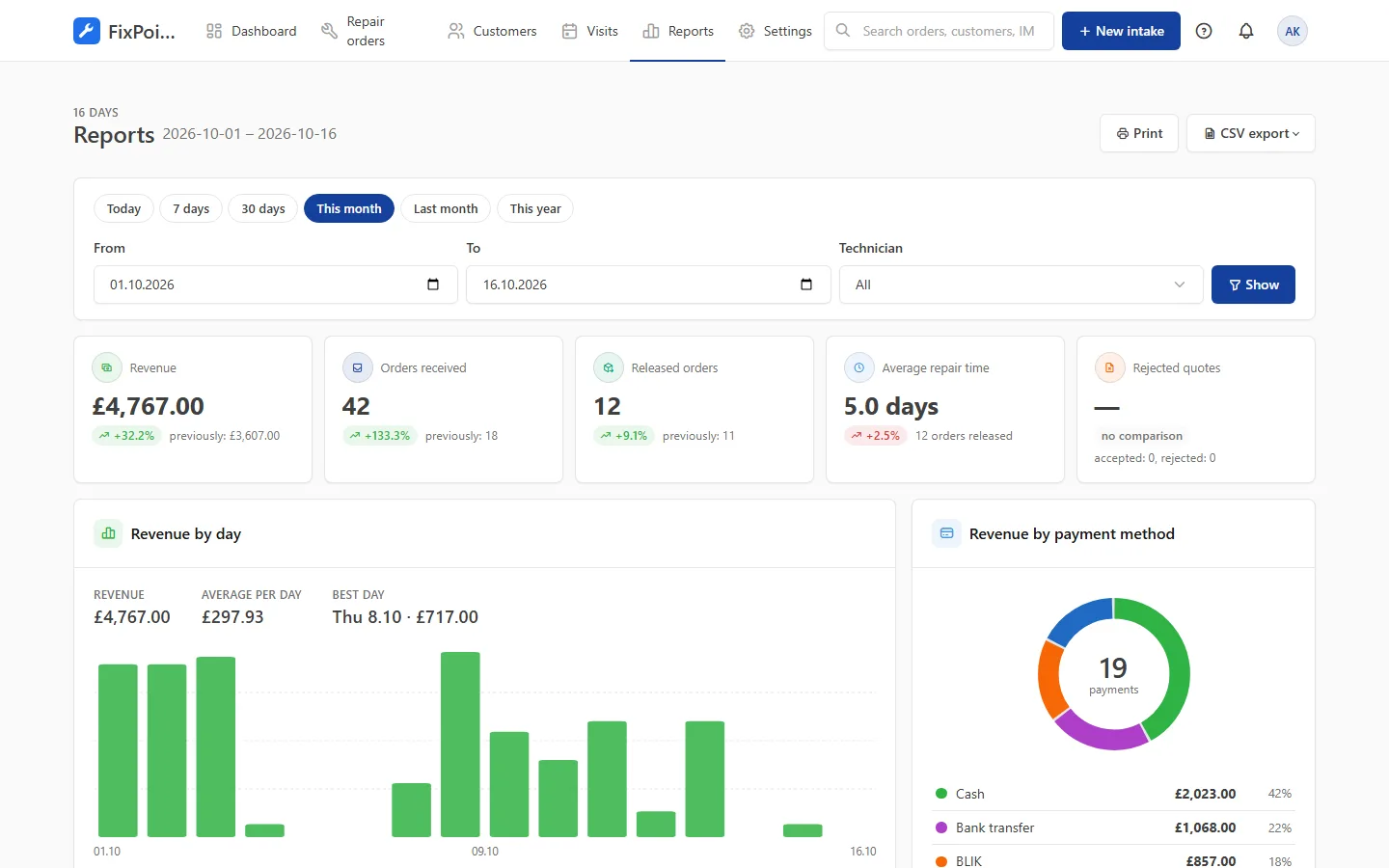
What the reports show
Daily revenue
A revenue chart split by payment method, with the best day of the period.
Repair time
Average time from intake to handover and the number of released orders.
Quote acceptance
How many quotes customers accept and how many they reject.
Most common faults
A ranking of faults and devices — easier to plan spare parts.
Team results
Filter by technician: orders and revenue per person.
CSV export
Data for your accountant or your own analysis in one click.
Frequently asked questions
Can I compare results with last month?
Yes. Each metric shows the change against the previous period of the same length.
Can I see a single technician’s results?
Yes. The technician filter narrows the reports to their orders.
Can I export the data?
Yes. Export revenue, payments and orders for the selected period to a CSV file.
Get your repair shop organised today
Create an account, go through a short setup wizard and take in your first device within minutes. No installation needed.