Repair quotes customers approve with one click
No more phone calls and waiting for a decision. The customer gets a link, sees the items and total, and approval updates the order status right away.
- Optional items
- Quote expiry date
- Versions kept in history

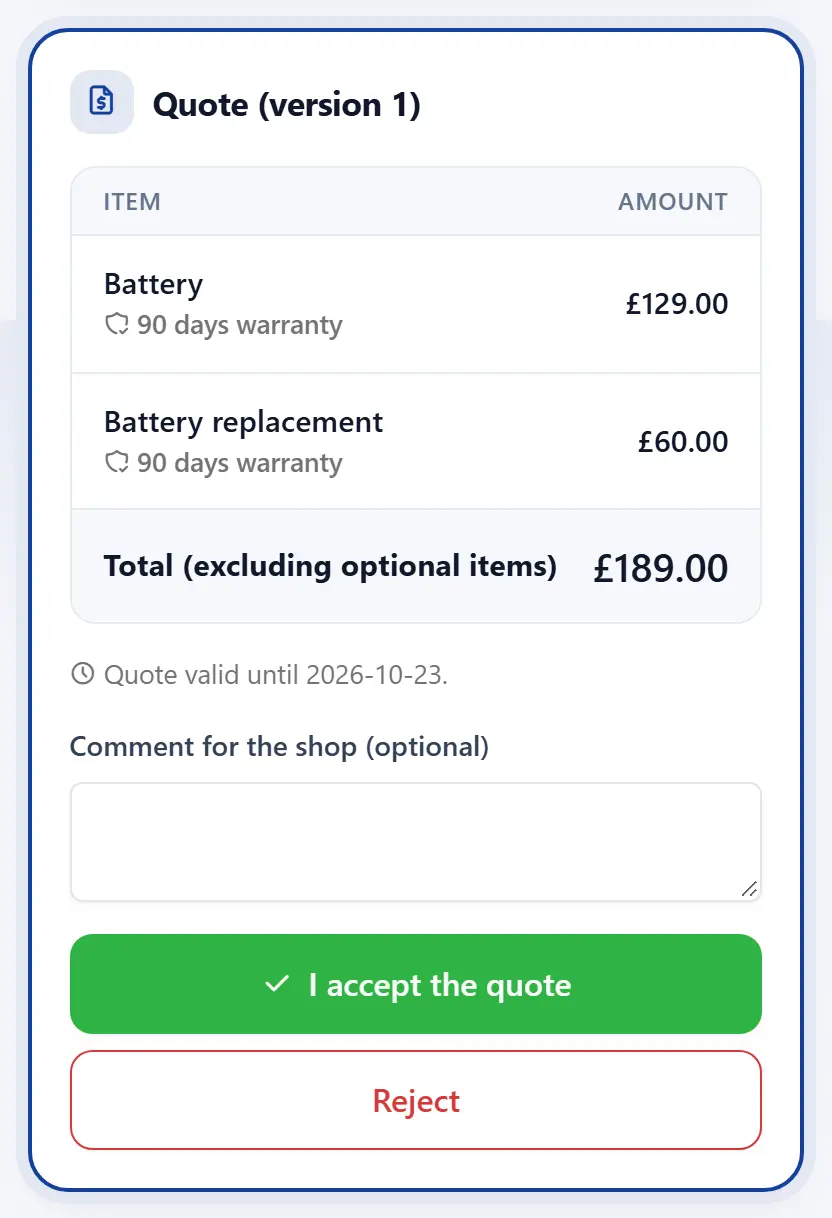
How quotes work
From the price list or manual
Services and parts from your price list or typed in, with a discount and warranty on each item.
Optional items
Extra services the customer can add, e.g. a screen protector or cleaning.
Quote validity
The date until which the quote is valid — after that the customer knows to ask for a new one.
Sending the link
The email goes out automatically, and you send the SMS with one tap from your phone.
Decision on the order
Acceptance or rejection with the customer’s comment lands in the order history at once.
New versions
Diagnosis changed? Send a new quote version; earlier ones stay in the history.
Frequently asked questions
Does the customer need an account to accept a quote?
No. They tap the link in the message or enter the order number and code on the status page.
What if the customer does not respond?
The order shows that the quote is waiting for the customer, and the guide on the order card reminds you to follow up.
Can I repair up to a set amount without asking?
Yes. Record a cost limit at intake, up to which you repair without extra approval.
Get your repair shop organised today
Create an account, go through a short setup wizard and take in your first device within minutes. No installation needed.